
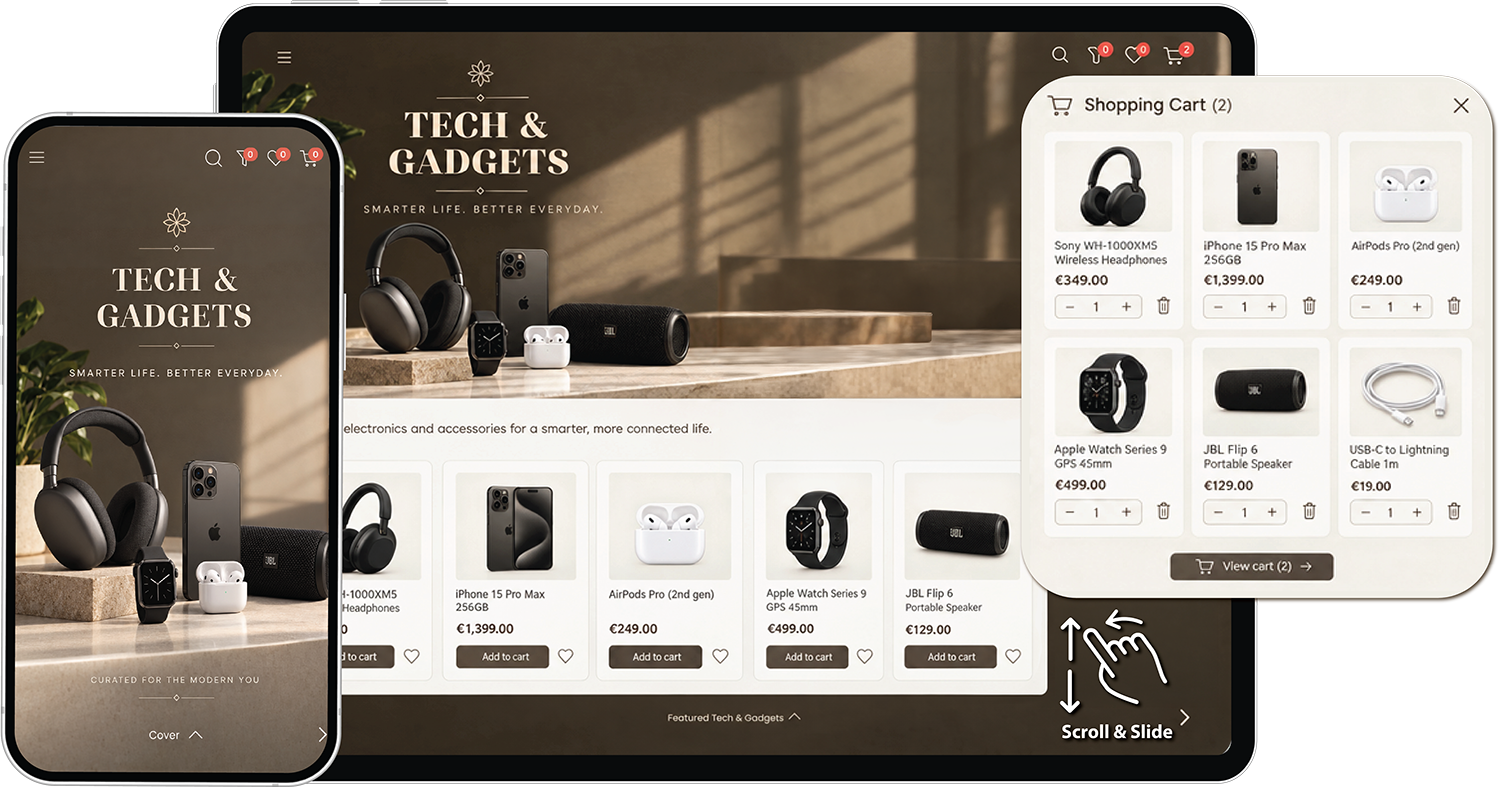
Shoppable campaign page on tablet and mobile, with a branded cover page, a promotional banner, a product grid with add to cart buttons and an open shopping cart.

Shoppable Campaign Page: Build multi-page campaigns from your product inventory

Select the products you want to promote, arrange them into pages, add banners and promotional content, and publish a branded digital campaign. Use it for seasonal promotions, product launches, focused assortments, category campaigns, private B2B offers, or any other product selection you want to share.

Fits how you already sell
  • You have a website with ecommerce:
    Build your campaign page and send buyers straight to checkout on your own store. The campaign handles product discovery and browsing, while your ecommerce site handles the sale.
  • You have a website, but no ecommerce:
    Use the campaign's own checkout, order management, and customer management to sell online without adding ecommerce to your existing site.
  • You don't have a website yet:
    Run your campaign page on its own custom domain and use it as your online presence from day one.

You can start with the setup that fits you today and add more capabilities as your needs grow.

Turn your product data into a shoppable campaign page

Create, enrich, and sell with a Shoppable Campaign Page in a few simple steps.
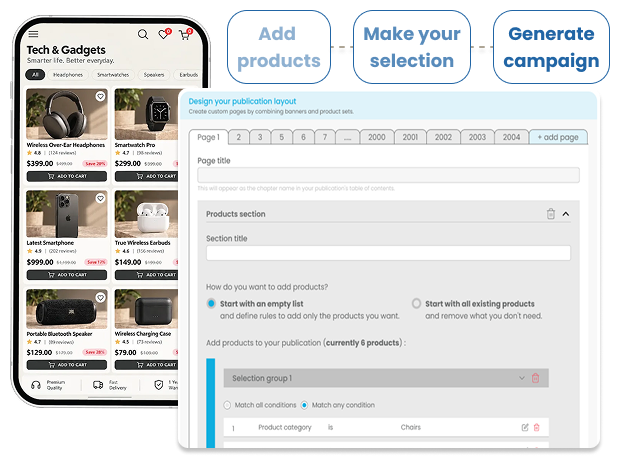
/ STEP 1

Build & publish - Create your pages
Bring your product data into the platform, select the products for your campaign, and build the pages around them.

  • Import products: Bring your products into one place by importing a product feed, connecting via API, or adding products manually.
  • Multi-page publications with a cover: Create as many pages as you need. Start with a branded cover page, then build each page around a product selection, campaign or category.
  • Banners & product grids: Combine promotional banners with themed product sections to highlight different products, offers and categories.
  • No design or programming skills needed: Build and update pages, banners and grids yourself with an intuitive editor — no developer or designer required.
  • Fully responsive layout: Every page automatically adapts to the screen it's viewed on. Unlike a flipbook's fixed page shape, your grids and banners reflow naturally on mobile, tablet and desktop.
  • Access control: Create private B2B product campaigns for selected customers, sales reps, distributors or partners, giving each audience access to the products and offers relevant to them.
See how to manage your product data angle right
Step 1 interface for building a shoppable campaign page: adding products, making a selection and generating the campaign, with the publication layout editor showing page tabs and product selection rules next to a mobile preview.

What you can create

Rich campaign pages

Combine banners and product grids across multiple pages to create focused product campaigns, seasonal promotions and category showcases.

Smooth page to page browsing

Scroll within each page, then slide between distinct pages on mobile, tablet and desktop.

A layout that fits every screen

Content resizes and reflows to fit the device, without requiring buyers to pinch or zoom as they would with a fixed PDF or flipbook.

Why use a Shoppable Campaign Page?

Static catalogues

A fixed catalogue makes it harder to create focused product selections or change the content for each campaign.

One long product list

A single scrolling list can't separate a seasonal collection, a clearance section, new arrivals or other product groups into distinct pages.

/ STEP 2

Sell & automate - Turn product browsing into sales
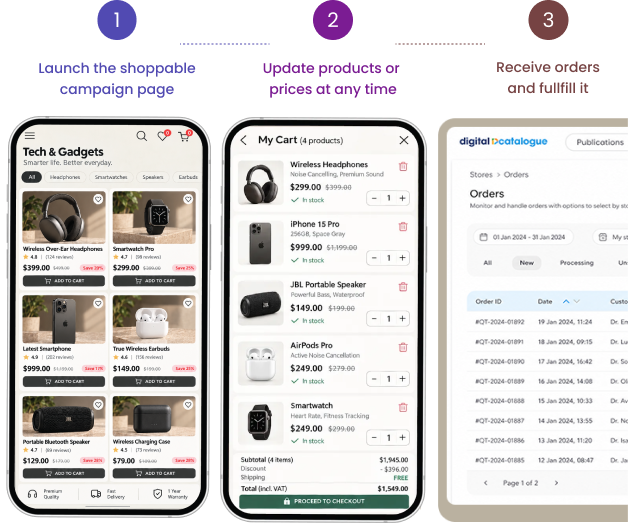
Give buyers an easy way to shop across the whole campaign, from the products they discover on one page to the order they place.

  • Add to cart, page by page: Buyers can add products as they browse each themed page and build a single order across the whole campaign.
  • AI product recommendations: Surface relevant upsells and cross-sells next to the products buyers are viewing.
  • Flexible checkout & B2B workflows: Accept direct purchases, redirect buyers to your ecommerce store, or trigger automated quote requests.
  • Live pricing and stock sync: Connect your product feed once so prices and availability stay accurate across every page.
See how AI recommendations work angle right
Step 2 view of selling from a shoppable campaign page: launching the campaign, updating products and prices at any time, and receiving orders, with a mobile cart and checkout next to the order management dashboard.

What you can do

One order, many pages

Buyers can shop across every section and campaign page without losing their cart.

Recommendations that fit the products

Upsells and cross-sells stay relevant to the products buyers are currently viewing.

Why use a Shoppable Campaign Page?

Disconnected sales journeys

Keep product discovery, product information and purchasing connected instead of sending buyers between separate PDFs, pages or product lists.

/ STEP 3

Distribute & Share - One link for a full campaign
Share a complete, multi-page campaign through one link. Buyers land on the cover page and can browse the campaign from there.

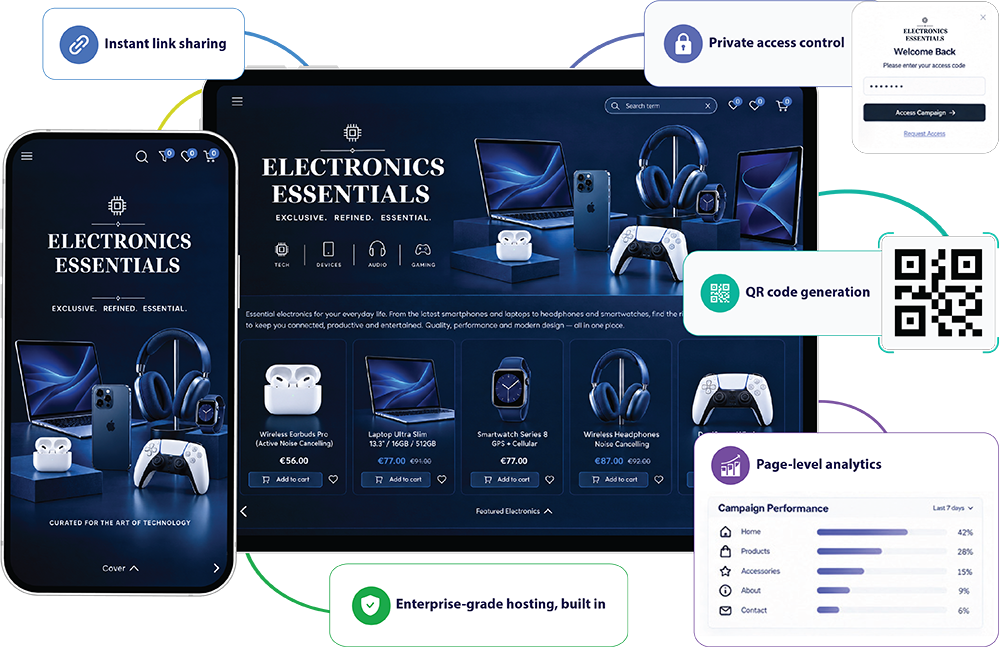
  • Instant link sharing: Share the entire campaign through one lightweight URL.
  • Private access control: Protect exclusive B2B campaigns, dealer-only content or customer-specific pricing with secure login screens and access codes.
  • QR code generation: Generate QR codes for showroom displays, trade show booths, printed materials or packaging that open directly to the campaign page.
  • Page-level analytics: See which pages, products and sections get the most attention and understand which parts of your campaign perform best.
  • Enterprise-grade hosting, built in: Every campaign runs on infrastructure designed to handle high traffic campaigns and sudden peaks in demand. You focus on choosing the right products and content; we handle the hosting and scaling.
See what you can track angle right
Step 3 mockup showing campaign page distribution through a single link, QR codes, private access control, and page level analytics.

Why use a Shoppable Campaign Page?

Campaign level visibility

Understand not just whether the campaign was opened, but which pages, products and sections attracted attention.

Reliable performance

No servers to size or provision. Your campaign page stays fast and available when a campaign gets a sudden increase in traffic.

Struggling with these now?

One place for the campaign

Keep products, pages, banners and campaign content together instead of managing separate files for each category or season.

Help your clients discover more, faster

Turn your product data into focused, multi-page campaigns. Give your clients an easy way to explore products, offers and categories in one branded experience.

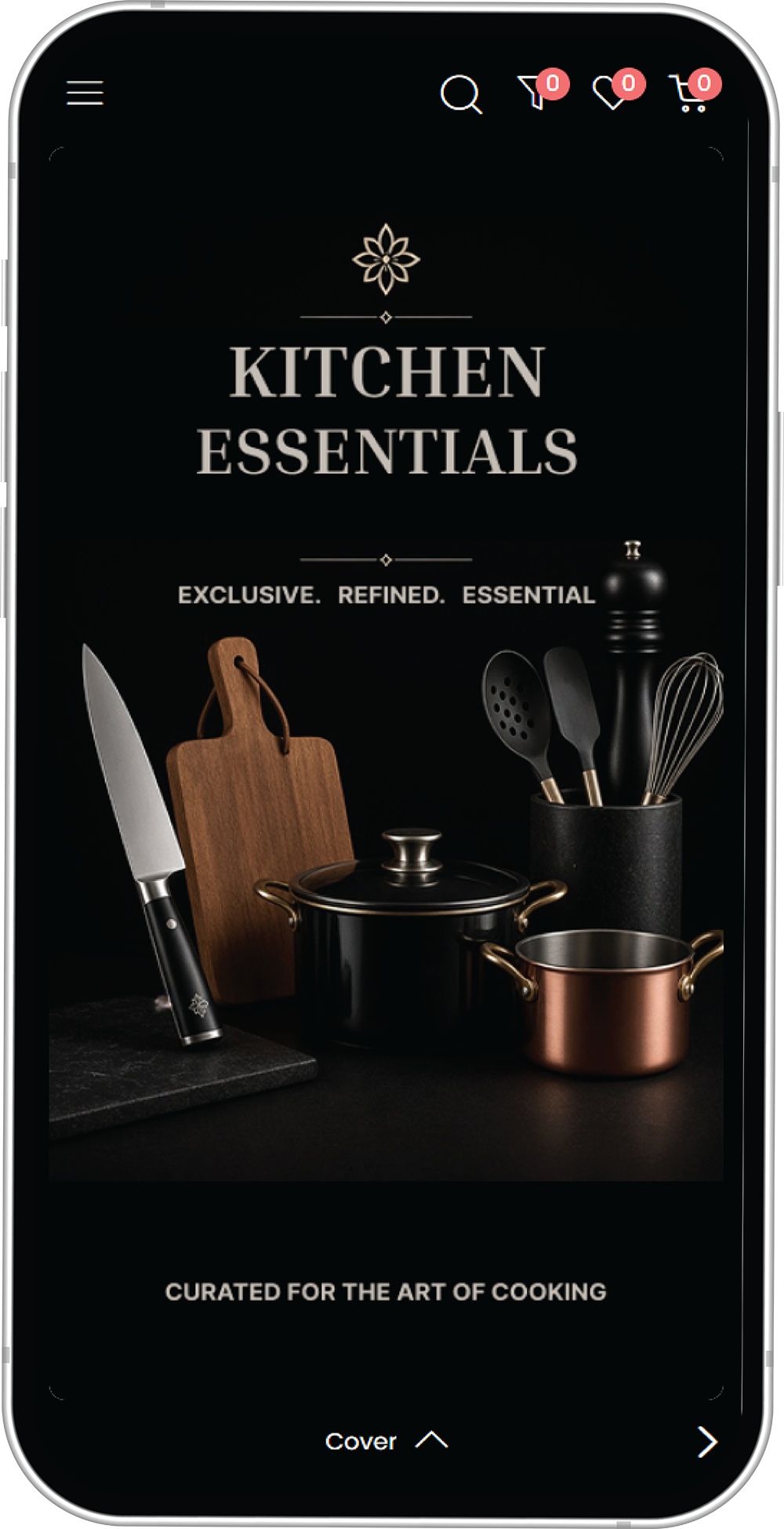
Demo campaign opened on a smartphone, showing the branded cover page of a Kitchen Essentials campaign with search, wishlist and cart icons.

This demo campaign features:

  • multi-page campaigns with a cover
  • banners & product grids
  • flexible checkout options
See how it works angle right